Best Privacy-Friendly Analytics for WordPress
The best privacy-friendly analytics WordPress tools compared — cookieless, GDPR-compliant, and lightweight options that respect your visitors and speed.

For years the default answer to “which analytics should I install?” was Google Analytics, no questions asked. That default is fading. Privacy regulations have tightened, cookie banners have soured the browsing experience, ad blockers strip out tracking scripts by the millions, and visitors have grown wary of being followed around the web. A growing number of WordPress owners now want numbers they can trust without collecting data they don’t need.
That’s the case for privacy-friendly analytics. This guide explains what the term actually means, why it matters for a WordPress site, and which tools do it best — from lightweight cookieless newcomers to full self-hosted platforms you control end to end.
What “Privacy-Friendly Analytics” Actually Means
The phrase gets used loosely, so it helps to pin it down. A genuinely privacy-friendly analytics tool generally checks most of these boxes:
- No personal data collected. No storing of full IP addresses, names, or anything that identifies an individual visitor. Data is aggregated and anonymous.
- No cross-site tracking. The tool measures what happens on your site only. It doesn’t build a profile that follows someone across the web.
- Cookieless. Visitors aren’t tagged with a persistent identifier stored in their browser, which is what usually triggers the consent-banner requirement.
- GDPR and CCPA aligned. The tool is designed to help you meet privacy regulations rather than fight against them.
- EU-hosted or self-hosted. Data lives on EU-owned infrastructure or on your own server, rather than flowing into a large ad ecosystem.
- No data sold to ad networks. You are the customer, not the product. Your visitor data isn’t monetized behind the scenes.
No third-party claim of “GDPR compliant” makes your whole site compliant on its own — your forms, embeds, and ads still count. But choosing a tool built around these principles removes one of the biggest and most common sources of risk.
Why Privacy-Friendly Analytics Matters for WordPress
Compliance risk is real. Regulators in several European countries have ruled that standard Google Analytics configurations can conflict with EU data-transfer rules. Whether or not that ever touches your specific site, using a cookieless, EU-friendly tool sidesteps the question entirely instead of betting on it.
Cookie banners hurt the experience. Every consent pop-up is a small tax on your visitor’s attention and your conversion rate. When analytics is cookieless and collects no personal data, it often falls outside consent-banner scope — and if analytics was the only thing forcing the banner, you may be able to drop it altogether.
Ad blockers erode your data. A meaningful slice of visitors run blockers that quietly discard Google Analytics requests, so your numbers undercount reality. Lightweight independent scripts are blocked far less often, which means more complete data even before you consider privacy.
User trust is worth protecting. Audiences increasingly notice and appreciate sites that don’t track them. Choosing tools that respect visitors is part of the same trust story as fast pages and honest content. If you’re weighing your options broadly, our roundup of Google Analytics alternatives for WordPress is a useful companion to this guide.
The Best Privacy-Friendly Analytics Tools for WordPress
PrettyInsights
PrettyInsights is a modern, privacy-friendly analytics platform built around one idea: website data should be genuinely readable. The dashboard is clean and uncluttered, surfacing visitors, top pages, referrers, devices, and locations at a glance rather than burying them under nested reports. It runs on a lightweight, cookieless tracking script, so pages stay fast and you avoid the persistent identifiers that trigger consent banners.
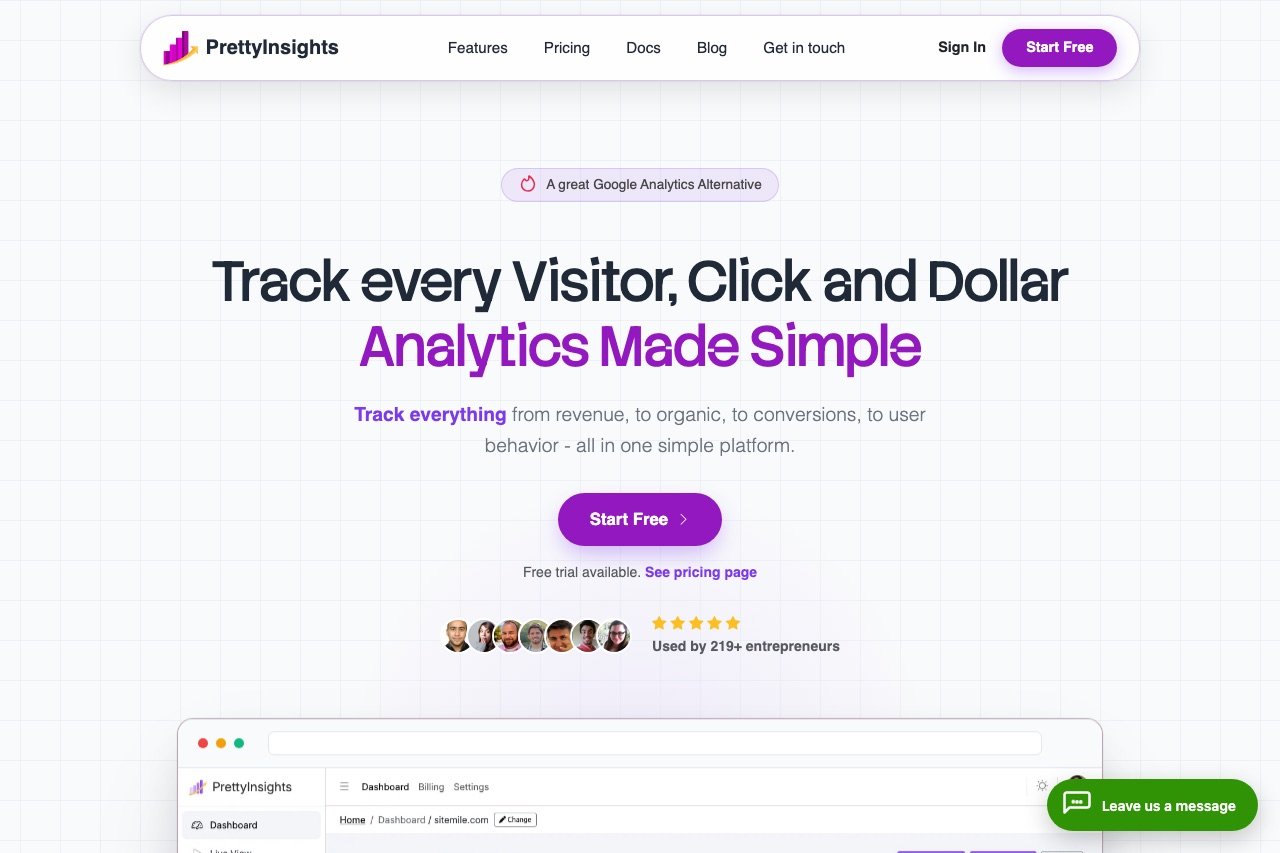
That combination makes it an easy recommendation for bloggers, small businesses, and anyone who found Google Analytics to be more tool than they needed but still wants real insight into what’s working. Because it collects no invasive cookies and doesn’t sell data to ad networks, it slots neatly into a privacy-first stack while staying approachable for non-technical owners.
Best for: site owners who want a clear, modern, privacy-friendly analytics dashboard without the complexity.
Fathom Analytics
Fathom helped define the simple, cookieless analytics category. It gives you a single-page dashboard covering the essentials — visitors, page views, referrers, top pages, devices, and countries — with permanent data retention and up to 50 sites on a plan. It’s built to comply with GDPR, CCPA, and PECR without a consent banner for its script, and it offers EU data isolation for European visitors. There’s no free tier, but a 30-day trial makes it easy to evaluate. We cover it thoroughly in our full Fathom Analytics review.
Best for: bloggers and agencies who value simplicity, privacy, and permanent data retention.
Plausible Analytics
Plausible is an open-source, lightweight, cookieless analytics tool hosted in the EU. The dashboard is a single page of essentials with goals, UTM tracking, and an optional public-dashboard view. Because it’s open source, technically comfortable users can self-host it for free instead of paying for the cloud version — a genuinely private option where the data never leaves your own infrastructure. Our Plausible Analytics review digs into the details.
Best for: privacy-focused sites, and technical users who want a self-hosting path.
Matomo
Matomo (formerly Piwik) is the most full-featured privacy-respecting alternative to Google Analytics. It offers heatmaps, session recordings, funnels, A/B testing, and complete data ownership, and it can be configured to run cookieless. Self-hosting on your own server is free and keeps every byte of data under your control; the cloud-hosted version is paid and EU-hosted. The trade-off for that depth is a heavier interface and, if self-hosted, genuine maintenance responsibility.
Best for: organizations that need deep, GA-level analytics with full data ownership.
Independent Analytics
Independent Analytics is a WordPress-native plugin that keeps everything inside wp-admin. It’s cookieless and GDPR-friendly by design, storing data in your own WordPress database rather than sending it to a third party — so there’s no external account and nothing leaves your server. You get traffic, top pages, referrers, and geographic data in a clean dashboard right beside your posts. The free version covers the essentials, with paid tiers adding UTM campaign and ecommerce reporting.
Best for: owners who want private, self-hosted analytics without leaving the WordPress dashboard.

Side-by-Side Comparison
At the time of writing, here’s how the five compare on the factors that matter most for privacy-conscious WordPress owners:
| Tool | Cookieless | Hosting / EU | Free Tier | Best For |
|---|---|---|---|---|
| PrettyInsights | Yes | Cloud | Trial / paid | Clear, modern private analytics |
| Fathom Analytics | Yes | Cloud, EU isolation | Trial only | Bloggers and agencies |
| Plausible | Yes | Cloud EU / self-host | Trial / self-host free | Privacy-focused, self-hosters |
| Matomo | Configurable | Cloud EU / self-host | Self-host free | Deep data with full ownership |
| Independent Analytics | Yes | Self-hosted in WP | Free plan | Analytics inside wp-admin |
Pricing and plan details shift over time, so confirm the current numbers on each provider’s site before committing.
How to Choose the Right One
The decision comes down to a few practical questions.
How much depth do you actually need?
Most bloggers and small businesses need to answer three questions: which content brings traffic, where visitors come from, and what’s growing. PrettyInsights, Fathom, and Plausible answer those in seconds without overwhelming you. If you need funnels, heatmaps, and session recordings for conversion work, Matomo is the tool that goes deeper while staying privacy-respecting.
Cloud convenience or self-hosted control?
Cloud tools like PrettyInsights and Fathom handle everything for you — you paste a script and you’re done. Self-hosting Plausible, Matomo, or using Independent Analytics keeps the data physically on your own infrastructure, which is the strongest privacy position, but it’s more to set up and maintain. Choose based on how much you value control versus convenience.
Do you want to stay inside WordPress?
If leaving wp-admin feels like friction, Independent Analytics keeps reporting right next to your content with no external account. For most other tools, the official plugin route is the safest way to add the script — it survives theme updates, unlike code pasted directly into a theme file. If you do edit theme files, do it in a child theme so updates don’t wipe your changes.
How performance-sensitive is your site?
Every tracking script adds page weight, and speed affects rankings. The cookieless tools here all use light scripts, which is part of why they’re worth choosing even setting privacy aside. If you’ve been speeding up your WordPress site, a heavy analytics tag is a common culprit worth auditing.
Setting Up Privacy-Friendly Analytics on WordPress
The process is similar across most of these tools and usually takes under ten minutes:
- Create an account with your chosen provider and add your site to get a unique site ID (or, for a self-hosted tool, install it on your server or as a plugin).
- Install the tool’s official WordPress plugin, or paste its embed script into your theme’s header.
- Enter your site ID in the plugin settings.
- Visit your own site and confirm the visit shows up on the dashboard.
Because these tools are cookieless and store no personal data, you generally don’t need to add them to your cookie-consent tool or block them until consent is given. The script can load for every visitor from the first page view — which, as a bonus, tends to make your numbers more complete than consent-gated Google Analytics data.
The Case for Going Cookieless
Cookieless measurement isn’t a compromise anymore. The technique counts visits using privacy-safe signals instead of a persistent browser identifier, which is what removes the need for a consent banner and makes the data more resilient to ad blockers. For a deeper look at how it works and why it’s become the default for privacy-first sites, see our guide to cookieless analytics for WordPress.
The practical upshot: you lose almost nothing that matters for content and SEO decisions, and you gain compliance simplicity, faster pages, and cleaner data. For most WordPress owners that’s a straightforwardly good trade.
FAQ
What is the most privacy-friendly analytics tool for WordPress?
There’s no single winner for every site. PrettyInsights, Fathom, and Plausible are all excellent cookieless cloud options with clean dashboards. For maximum control, self-hosting Matomo or using Independent Analytics keeps data entirely on your own infrastructure. Match the tool to how much depth and control you need.
Does privacy-friendly analytics still require a cookie banner?
Usually not for the analytics itself. Cookieless tools that collect no personal data typically fall outside consent-banner requirements, and if analytics was the only reason for your banner, you may be able to remove it. Your forms, ads, and embeds still count, so review your whole setup rather than assuming the tool alone clears you.
Are these tools GDPR-compliant?
The tools in this guide are designed to help with GDPR and CCPA compliance — cookieless, anonymous, and often EU-hosted or self-hosted. That said, no third-party tool makes your entire site compliant by itself. Your overall data handling still determines your obligations, so treat these as a strong foundation rather than a guarantee.
Is privacy-friendly analytics less accurate than Google Analytics?
Often it’s actually more complete. Because these lightweight scripts are blocked far less frequently than Google Analytics and don’t depend on consent gating, they tend to capture a larger share of real visits. You give up some deep behavioral segmentation, but the core traffic and referrer numbers are typically closer to reality.
Can I self-host private analytics on WordPress for free?
Yes. Plausible and Matomo are open source and free to self-host if you’re comfortable managing a server, and Independent Analytics stores data directly in your WordPress database at no cost on its free plan. Self-hosting is the strongest privacy position because the data never leaves infrastructure you control.
For a broader look at the field, including full-featured and behavior-focused options, see our roundup of the top 10 website analytics tools. Whichever you choose, keep the stack lean and commit to a monthly review habit — consistent measurement teaches you far more than constant tool-switching.


