8 Best Google Analytics Alternatives for WordPress
The best Google Analytics alternative WordPress options — free, privacy-friendly, and self-hosted tools to replace GA4 without the complexity.

Google Analytics is the default measurement tool for millions of WordPress sites, and for a long time it was the obvious choice: free, powerful, and everywhere. But since GA4 replaced Universal Analytics, a growing number of site owners have gone looking for a Google Analytics alternative for WordPress that’s simpler to read, kinder to visitor privacy, and lighter on page load.
This guide walks through eight real alternatives you can run on a WordPress site today — some free, some paid, some self-hosted — and helps you match one to how you actually work. If you want a broader survey first, our roundup of the top 10 website analytics tools for WordPress covers the wider field.
Why People Leave Google Analytics 4
Before the list, it’s worth understanding what’s pushing people away from GA4. The complaints are consistent:
- Complexity. GA4 rebuilt the interface around events and explorations. Reports that took one click in Universal Analytics now require building custom views, and most casual users get lost before they find the number they wanted.
- Privacy and GDPR. GA4 sends data to Google’s ecosystem, and European regulators have repeatedly questioned whether that transfer is lawful without extra safeguards. For privacy-sensitive audiences, that’s a real concern rather than a hypothetical one.
- Cookie banners. Because GA4 typically relies on cookies and personal identifiers, most jurisdictions require a consent banner — and consent-gated analytics means you lose data from everyone who declines or ignores the prompt.
- Data sampling and thresholds. On larger sites, GA4 applies sampling and data-retention limits, so the numbers you see aren’t always the complete picture, and event-level history disappears after a fixed window.
None of that makes GA4 a bad tool. It just means that for many WordPress owners — bloggers, small businesses, agencies — the trade-offs no longer make sense. The alternatives below solve one or more of those problems.
The 8 Best Google Analytics Alternatives for WordPress
1. PrettyInsights
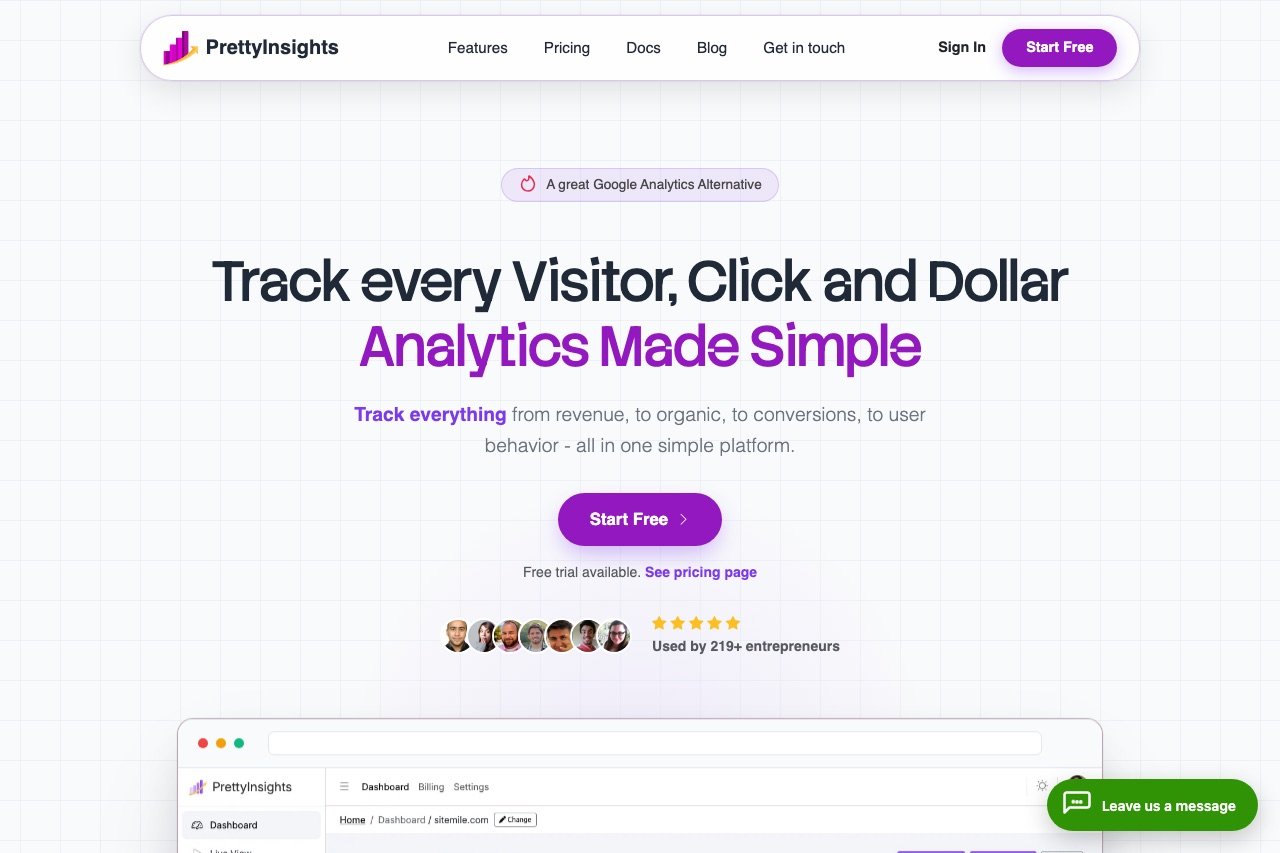
PrettyInsights is our top pick for site owners who want a modern, privacy-friendly Google Analytics alternative without the GA4 learning curve. It’s built around a clean, readable dashboard that puts the numbers that matter — visitors, top pages, referrers, devices, and locations — on one screen instead of burying them in nested reports.
The tracking script is lightweight and cookieless, which keeps your pages fast and takes analytics out of the scope of your cookie consent banner in most cases. That combination — genuinely readable data plus a privacy-first, low-overhead script — makes it a strong fit for bloggers, small businesses, and anyone who found GA4 to be more tool than they needed. You can explore it at PrettyInsights.
Best for: site owners who want a clear, privacy-conscious dashboard they’ll actually check.
2. Fathom Analytics
Fathom helped define the simple, cookie-free analytics category. Everything lives on a single dashboard — visitors, page views, top pages, referrers, devices, and countries — with a date picker and click-to-filter views. There’s no free tier, but a 30-day trial makes it easy to evaluate, and every plan covers up to 50 sites with pooled pageview limits. We go deep on it in our full Fathom Analytics review.
Best for: bloggers and agencies who value simplicity and a clean privacy story.
3. Plausible Analytics
Plausible is an open-source, lightweight, cookie-free analytics tool with EU-based hosting. The dashboard mirrors Fathom’s single-page approach and adds goals, UTM tracking, and an optional public dashboard. Because it’s open source, you can self-host it for free if you’re comfortable running a server, or pay for the managed cloud version. See our Plausible Analytics review for the full breakdown, and our Plausible vs Fathom comparison if you’re weighing the two head to head.
Best for: privacy-focused sites and technical users who want a self-hosting option.
4. Matomo
Matomo (formerly Piwik) is the most full-featured Google Analytics alternative on this list. It offers the depth GA4 users expect — heatmaps, session recordings, funnels, goals, and A/B testing — with complete data ownership. Self-hosting on your own server is free; the cloud-hosted version is paid. The trade-off for all that power is a heavier interface and, if you self-host, genuine maintenance responsibility. Our Matomo review covers how it stacks up in practice.
Best for: organizations that need GA4-level depth while keeping full ownership of their data.
5. Microsoft Clarity
Clarity is free with no traffic limits, and it answers a different question than the others: not “how many visitors?” but “what did they do?” You get session recordings, heatmaps, and rage-click and dead-click detection at no cost. It won’t replace a traffic-analytics tool on its own, but it’s an excellent behavioral layer to run alongside one of the tools above when you want to understand and fix how people actually use your pages.
Best for: understanding user behavior, debugging UX issues, and improving conversions.
6. Jetpack Stats
Jetpack Stats lives inside your WordPress dashboard, showing views, visitors, top posts, and referrers without leaving wp-admin. It’s the lowest-friction option here — no external account or separate script setup beyond the Jetpack connection. The data is shallower than a dedicated tool provides, but for a hobby blog it’s often all you need, and there’s a free tier for non-commercial sites.
Best for: casual bloggers who want basic numbers inside WordPress itself.
7. Clicky
Clicky is a veteran analytics service best known for real-time reporting. You can watch individual visitor sessions as they happen, see on-site heatmaps on paid tiers, and get uptime monitoring bundled in. The interface looks dated next to the newer minimalist tools, but the live, granular visitor detail is stronger than most competitors offer. A limited free plan covers a single site.
Best for: site owners who want granular, real-time visitor tracking.
8. Independent Analytics
Independent Analytics is a WordPress-native option that runs entirely inside your own site — a plugin rather than an external service. Because it processes data on your server without cookies or third-party requests, it keeps everything first-party and privacy-friendly, and reports appear right in wp-admin. It covers page views, referrers, devices, locations, and UTM campaigns, with a free tier and paid upgrades for e-commerce and deeper reporting. Our full Independent Analytics review walks through the dashboard and the in-database trade-off.
Best for: WordPress owners who want cookieless analytics that never leaves their own database.

Google Analytics Alternatives Compared
Pricing below is accurate at the time of writing; check each provider for current plans.
| Tool | Free tier | Privacy-friendly | Self-host option | Best for |
|---|---|---|---|---|
| PrettyInsights | Trial | Yes (cookieless) | No | Clear, private dashboards |
| Fathom Analytics | Trial only | Yes (cookieless) | No | Bloggers, agencies |
| Plausible | Trial | Yes (cookieless) | Yes | Privacy-focused sites |
| Matomo | Self-host free | Configurable | Yes | Data ownership, depth |
| Microsoft Clarity | Yes | Partial | No | Behavior and UX |
| Jetpack Stats | Yes | No | No | Casual WordPress blogs |
| Clicky | Yes (1 site) | Partial | No | Real-time visitor detail |
| Independent Analytics | Yes | Yes (cookieless) | Yes (in WordPress) | First-party WordPress data |
How to Choose the Right One
The right alternative depends less on features and more on what frustrated you about GA4 in the first place.
You want simple, private, and readable. PrettyInsights, Fathom, and Plausible all give you a one-page dashboard, a light script, and freedom from the analytics cookie banner. PrettyInsights is the easiest starting point if you want clarity without managing anything; Plausible is the pick if self-hosting appeals. All three are covered in our guide to privacy-friendly analytics for WordPress.
You need GA4-level depth without Google. Matomo is the answer. Funnels, heatmaps, session recordings, and full data ownership — with the understanding that you’re taking on a heavier tool and, if self-hosted, some server upkeep.
You want zero cost and minimal setup. Jetpack Stats or Independent Analytics keep everything inside WordPress, and Microsoft Clarity adds free behavioral insight on top of whatever traffic tool you choose.
You want to watch visitors in real time. Clicky’s live session view is still one of the best in the category.
Whatever you pick, keep the stack lean. Every tracking script adds page weight, and analytics is a common culprit when a site slows down. One traffic tool, Google Search Console for search data, and optionally one behavior tool like Clarity is plenty for most WordPress sites.
Making the Switch from GA4
Moving away from Google Analytics is straightforward, but a little planning saves headaches:
- Run the two side by side for a month. Install your chosen alternative alongside GA4 and compare the numbers. Cookieless tools often report higher visitor counts because they aren’t consent-gated, which is worth understanding before you panic about a discrepancy.
- Export anything you need from GA4 first. Historical data doesn’t migrate. If you want a record of past performance, export your key reports before you remove the GA4 tag.
- Install via a plugin, not a theme file. Most of these tools offer an official WordPress plugin or a simple header snippet. The plugin route survives theme updates; if you edit theme files directly, use a child theme so updates don’t wipe your changes.
- Revisit your cookie banner. If GA4 was the only thing requiring consent and you’ve moved to a cookieless tool, you may be able to simplify or drop the banner entirely — confirm against the rest of your setup, since forms, embeds, and ads carry their own obligations.
Once measurement is settled, put the data to work. The whole point of switching is to end up with a dashboard you’ll actually open and act on.
FAQ
What is the best free Google Analytics alternative?
For a completely free option, Matomo (self-hosted) offers the most depth, while Microsoft Clarity is the best free tool for understanding visitor behavior. If you want free traffic analytics inside WordPress with no server to manage, Jetpack Stats or Independent Analytics are the easiest picks. Among paid tools, PrettyInsights, Fathom, and Plausible offer trials so you can test them before committing.
Is there a Google Analytics alternative that doesn’t need a cookie banner?
Yes. Cookieless tools such as PrettyInsights, Fathom, Plausible, and Independent Analytics don’t set tracking cookies or store personal identifiers, so their analytics scripts generally fall outside cookie-consent requirements. You may still need a banner for other cookies on your site, but analytics stops being the reason for one.
Can I use a Google Analytics alternative and keep GA4 too?
Absolutely, and many site owners do exactly that during a transition. Running a privacy-friendly tool alongside GA4 lets you compare numbers and keep GA4’s ad-platform integrations while you get comfortable with the new dashboard. Just be mindful that each additional script adds a little page weight.
Which Google Analytics alternative is best for privacy and GDPR?
Tools built around cookieless, anonymized data collection — PrettyInsights, Fathom, and Plausible — are designed with GDPR and similar regulations in mind, and Plausible and Matomo add EU or self-hosted options for full data control. No third-party tool makes you automatically compliant, but these remove the biggest analytics-related risk by not collecting personal identifiers in the first place.
Will switching away from GA4 hurt my SEO?
No. Analytics tools measure your traffic; they don’t influence how Google ranks your pages. Google Search Console is the tool tied to search performance, and you should keep it verified no matter which analytics platform you use. If anything, a lighter tracking script can help page speed, which is a ranking factor.


