How to Build a Shipping Marketplace Website Like uShip
Build a shipping marketplace like uShip on WordPress: the reverse-auction model, must-have features, escrow payments, mobile apps, and the fastest way to launch.
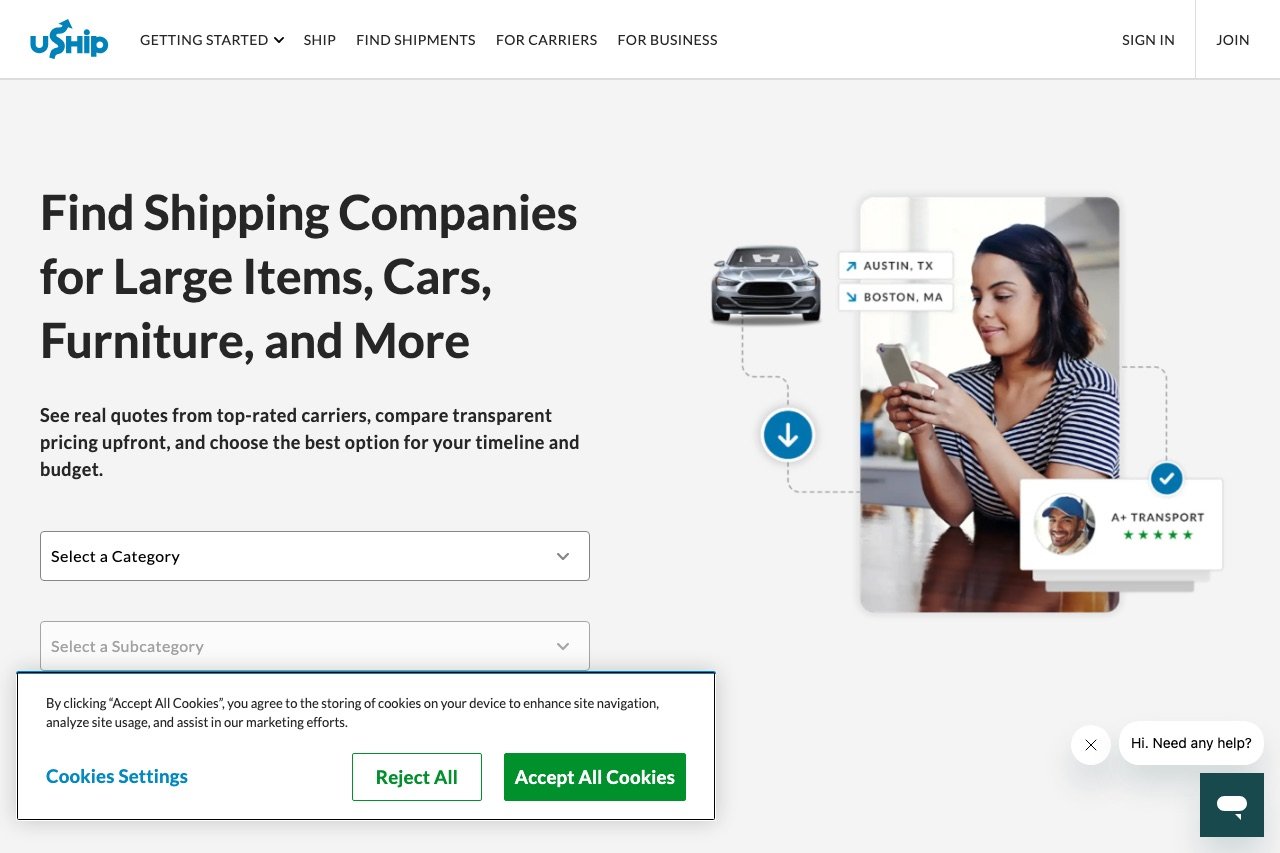
A shipping marketplace like uShip connects people who need something moved with the carriers who have spare capacity to move it — then lets the carriers compete on price. It’s a proven model: shippers get cheaper quotes, carriers fill empty miles, and the platform takes a cut of every completed job. If you want to build one, WordPress is a faster and far cheaper route than commissioning a platform from scratch — and this guide walks through exactly how the model works, the features you need, and the quickest way to launch.
How a Shipping Marketplace Actually Works
uShip and similar platforms (Shiply is another) run on a reverse auction. Instead of the seller setting a price, the buyer posts a job and sellers bid it down. The flow looks like this:
- A shipper posts a shipment — what needs moving (furniture, a car, freight, a pallet), with photos, pickup and delivery locations, dates, and dimensions.
- Carriers browse and bid — transport providers see the listing and place competing quotes.
- Competition drives the price down — the shipper watches bids come in and picks the carrier they want, on price, rating, or both.
- Payment goes into escrow — the platform holds the money and releases it to the carrier once delivery is confirmed.
- Both sides leave reviews — ratings build the trust layer that keeps the marketplace working.
Your platform makes money by taking a commission on each completed job, charging listing or featured-listing fees, or offering paid carrier subscriptions. Nail the reverse-auction loop and the escrow, and you have a working business.
Why Build It on WordPress?
You could hire a development shop to build a custom platform from nothing — and spend a year and six figures doing it. WordPress collapses that. It already gives you user accounts and roles, a content and listings engine, payment gateway integrations, reviews, and a massive plugin and theme ecosystem. That means you’re customizing a marketplace rather than inventing one, which is the difference between launching this quarter and launching next year.
WordPress marketplaces also stay yours — you own the code, the data, and the customer relationships, with no per-transaction fee to a SaaS platform on top of your own commission. For the broader case, see our comparison of WordPress vs hosted platforms and our roundup of the best WordPress marketplace themes.
The Features Your Shipping Marketplace Needs
Whatever route you take, a credible uShip-style platform needs:
- Shipment listings with categories (vehicles, furniture, freight, pets, boats), photos, routes, and dimensions
- A bidding system where carriers submit and revise quotes, and shippers compare them
- Carrier and shipper profiles with verification, ratings, and history
- Escrow / milestone payments so money is held until delivery is confirmed
- Reviews and dispute handling to build and protect trust
- Search and filtering by route, date, category, and price
- Notifications (email and push) for new bids, messages, and status changes
- A commission and billing system for your cut, listing fees, or subscriptions
- Mobile access — carriers live on their phones, so a responsive site and ideally native apps matter a lot

The Fastest Way to Launch: a Ready-Made uShip Clone
Assembling all of that from generic marketplace plugins is possible, but the reverse-auction bidding, escrow release-on-delivery, and route-based listings are exactly the pieces generic tools handle worst. This is where a purpose-built solution saves you months.
SiteMile — whom we feature as a top pick in our WordPress agencies roundup for ready-made platform builds — offers a uship clone designed specifically for this shipping-marketplace model on WordPress. It comes as a ready-made theme (ShipMe) with the core reverse-auction flow already built, and as full custom development for anything beyond the base — including native mobile apps for shippers and carriers, which is a genuine differentiator in a market where carriers work from their trucks.
At the time of writing, the theme starts around $2,199, with custom development and the mobile-app version priced higher depending on scope — a fraction of a from-scratch build. If your idea is “uShip but for my region or my niche,” starting from a platform that already does bidding, escrow, and listings, then customizing the rest, is the pragmatic path. For a fully bespoke build, our own WordPress development services can extend or tailor a platform to your exact requirements.
Payments and Escrow: Get This Right
The escrow step is what makes a shipping marketplace trustworthy — the shipper’s money is held until the job is done, so neither side has to trust the other blindly. Plan for it early: you’ll need a payment setup that supports holding funds and splitting payouts (your commission vs the carrier’s share). Review the options in our guide to WooCommerce payment gateways, and note that marketplaces often use gateways with marketplace/split-payment support (like Stripe Connect) to route money to carriers automatically after release.
A Realistic Launch Plan
- Pick a niche. “General shipping” competes with uShip directly. “Vehicle transport in the Southeast” or “boat hauling” is winnable.
- Choose your base — a ready-made uShip clone theme, or custom development if your model differs from the standard flow.
- Set up hosting and WordPress. A marketplace needs solid WordPress hosting that handles bidding traffic; start with our getting started with WordPress guide if you’re new.
- Configure listings, bidding, and escrow, then test the full flow end to end with real test accounts.
- Seed both sides. A marketplace is dead without carriers and shippers — recruit a handful of carriers before you promote to shippers.
- Launch, gather reviews, and iterate. Trust compounds; early reviews are worth more than early revenue.
FAQ
Can you really build a uShip-like site on WordPress?
Yes. WordPress provides the accounts, listings, payments, and reviews foundation, and purpose-built solutions like SiteMile’s ShipMe theme add the reverse-auction bidding and escrow that a shipping marketplace specifically needs — without a from-scratch build.
How much does it cost to build a shipping marketplace?
A ready-made WordPress theme for this model starts around $2,199 at the time of writing; custom development and native mobile apps cost more depending on scope, and a fully bespoke build from an agency runs into five figures. That’s still far below the cost of commissioning a platform from nothing. See our auction website cost guide for a comparable breakdown.
What’s the difference from a normal auction site?
A standard auction bids the price up; a shipping marketplace is a reverse auction where carriers bid the price down to win the job. The listing, escrow, and reviews are similar to any auction website — see our best WordPress auction themes for that side.
Do I need a mobile app?
You don’t need one to launch, but carriers work from their phones, so a fast responsive site is essential and native apps are a strong advantage. SiteMile’s custom uShip-clone development includes native mobile apps for exactly this reason.
How does a shipping marketplace make money?
Most take a commission on each completed job. Others charge listing or featured-listing fees, or sell carrier subscriptions for unlimited bidding. Many combine these once they have volume on both sides.
Looking at a different peer-to-peer model? Our guide on how to build a car rental marketplace like Turo walks through the booking, verification, and payout flow for asset sharing rather than shipping.


